AutoLISP is the oldest of the built-in scripting languages in AutoCAD, and when I’ve tried using an LLM to write scripts in the past, they’ve not worked well. I tried recently using Gemini 2.5 Pro and the results were much closer to what I was hoping for.
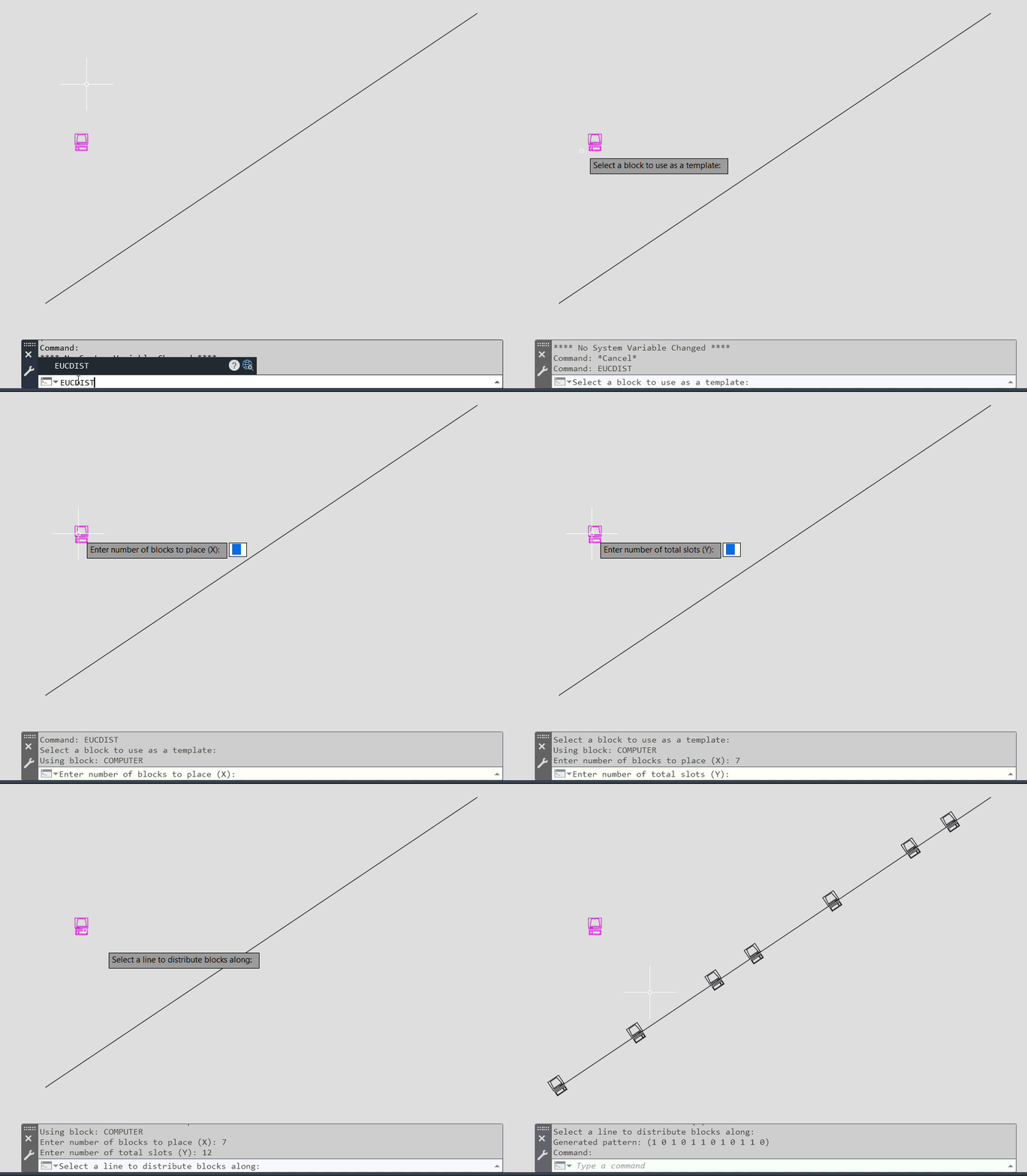
Euclidean rhythm is the use of Euclid’s algorithm to place X objects into Y spaces as evenly as possible – originally used in Godfried Toussaint’s paper that describes how these can generate the types of complex rhythms found in traditional music around the world. I first came across them in the sequencer in Bram Bos’ Ruismaker drum machine for iOS.
I was looking for a simple script to code in AutoLISP that would look interesting so I fed Gemini this prompt:
“hey, I want to code an autolisp macro for Autocad that takes a block and a line as input, and distributes the blocks along the line by placing X objects into Y slots (where Y>X) using the euclidean algorithm. Can you help me write that script?”
The first few versions of the file didn’t work for various reasons – an undefined function, an incorrect scale for the pasted block, but pretty soon it was producing acceptable results. The X objects are evenly spaced along the chosen line at Y positions, and rotated to align to the line.
The debugging and testing process is fortunately quite straightforward in AutoCAD – if I didn’t see what I was expecting to see when the script ran, I would describe the problem to Gemini and then paste all of the text from the AutoCAD command line back into the chat window.
Here is the script to download on Github, and here is Gemini’s description of how to load the script into AutoCAD:
 How to Use:
;; 1. Load this file into AutoCAD using the APPLOAD command or by dragging and dropping
;;    it into the drawing window.
;; 2. Type "EUCDIST" in the command line and press Enter.
;; 3. Follow the prompts:
;;    a. Select an instance of the block you want to place.
;;    b. Enter the number of blocks to place (X).
;;    c. Enter the total number of available slots (Y), where Y must be greater than X.
;;    d. Select a line entity in your drawing.
;; 4. The script will then automatically place the blocks along the line according to
;;    the calculated Euclidean pattern.
Leave a Reply